KITSUMI · GUIDE
How to use Kitsumi
Native subtitles with a dictionary under your cursor. Here's how to go from installing it to understanding your first episode, in about five minutes.
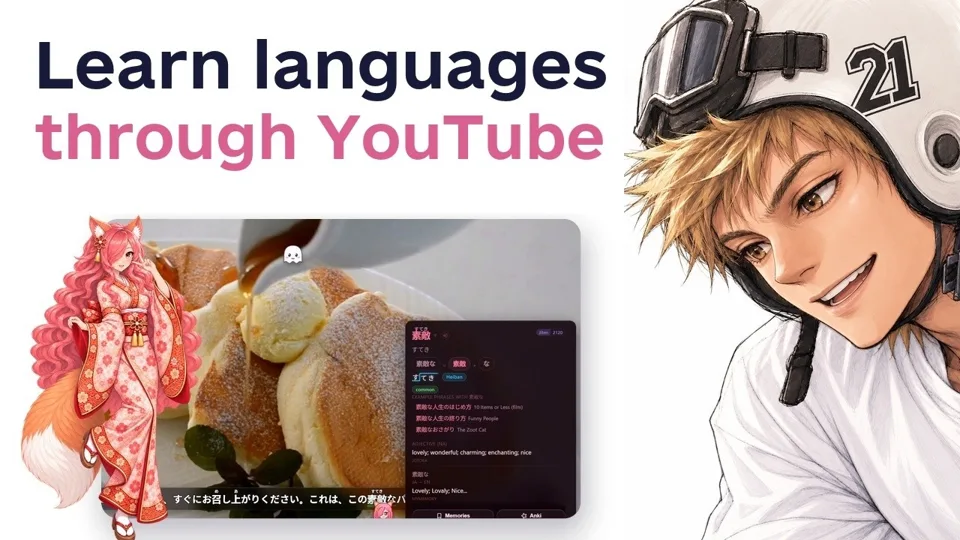 Prefer video? Watch the quick start on YouTube
Your first episode in about five minutes
- Install Kitsumi, open a video and click the fox icon.
- Pick your language on the welcome screen. It sets sensible defaults.
- Download one dictionary from the Dictionary tab. One is enough to start, and with one installed, lookups work with no internet at all.
- Get subtitles. Pick the track on YouTube, search for them in the Search tab, or drop in your own .srt, .vtt or .ass file.
- Hover a word. That's the whole loop.
Everything else on this page is optional. Leave the defaults alone until you actually want something.
Hover and click: the two things to know
Hover a word to understand it
Point at any word in the subtitle line. You get its reading, meaning and grammar right there, without leaving the video. The popup sits just above the line and glides between words.
Click a word you already know
Clicking a word adds it to your Memories and turns it grey, so the words you still need to learn stand out.
Lost the whole sentence? Click the star
Hover the subtitle and click the small star in its corner. The video pauses and a panel opens with the line's translation and every word in it, in order, with grammar notes for particles and endings. Click the star again to go back to the episode.
Japanese has no spaces: use the two rows
Kitsumi reads each Japanese line twice. Hover the lower half of a word for the whole thing (ひび割れた), the upper half for its pieces (ひび割れ | た). If one reading guessed wrong, the other gives you a way out.
What each tab does
- Search / Local
- Find subtitles from Jimaku, OpenSubtitles or SubDL without leaving the video, or load your own files. Each provider takes a free key of your own, about a minute to get.
- YT
- Appears on YouTube videos: lists the video's subtitle tracks so you can pick one.
- Subs
- How subtitles look: font, size, colours, outline, position and one-click presets, plus timing nudges saved per show.
- Dictionary
- Install dictionaries in one click or import your own Yomitan .zip / .json or .tsv word list. See every language and its dictionaries.
- Study
- The current line as word cards with furigana. Words you know shrink to tiny chips, so whatever is still big is new.
- Game
- Your level, rank, streak and achievements for each language. They measure activity, not ability.
- Mining
- Anki card settings. It appears once you turn on advanced card mining.
- Settings
- Everything else, including the performance modes for older laptops.
Make Anki flashcards
Add this the moment you want flashcards for the words you meet. With AnkiConnect installed in Anki, one click sends the word, reading, definition, sentence, screenshot, audio and a clip. A hotkey mines the current line while the show keeps playing.
Don't use Anki? Words you save can also come back in Kitsumi's built-in spaced repetition, and Speak it turns your own words into sentences you say or type back, with your mistakes explained.
Extras worth knowing
- Comprehension target: see how much of an episode you already know. Aim for material you understand 90–95% of: hard enough to learn from, easy enough to keep watching.
- Smooth pause: pause on hover with an instant stop, or a Fade, Tape stop, Soft or Vinyl wind-down.
- Articles Reader: the same hover dictionary on ordinary web pages.
- Manga and OCR: read text out of images, video frames and manga pages, recognised on your device.
- Tighter permissions: Kitsumi asks for broad site access because subtitles are drawn over players it can't predict. To restrict it, right-click the icon, choose "This can read and change site data", then "On specific sites". Everything still works.
Learning Japanese? Learn the kana first
Learn hiragana and katakana before anything else. Put in a couple of full days and you'll know most of them.
- Free hiragana and katakana chart: every character with a picture to remember it by, plus practice words and sentences. Print it and keep it beside you.
- Prefer a teacher? JapanesePod101 has good lessons for hiragana and katakana.
After a couple of weeks of watching with Kitsumi, reading them becomes automatic.
Questions
Is Kitsumi free?
Yes. No paywall, no trial and no account. Every feature ships to everyone.
Which browsers does Kitsumi work in?
Chrome and Firefox, plus Edge, Brave and Opera from the Chrome Web Store and Floorp from Firefox Add-ons.
Which sites does it work on?
YouTube, Netflix, Crunchyroll, anime sites and most HTML5 video players, with your own .srt, .vtt or .ass subtitles on top.
Does Kitsumi work offline?
Once a dictionary is installed, lookups work with no internet at all. Subtitle search and online dictionaries need a connection.
Do I need Anki?
No. Kitsumi has its own spaced repetition and the Speak it drill. Anki is there if you already use it.
Where does my data go?
Your words, progress and settings stay in your browser. There is no Kitsumi server. Network requests happen only when a feature needs one: see the privacy policy.
 Kitsumi is a free browser extension for learning languages from the videos you already watch: native subtitles with a hover dictionary on YouTube, Netflix and anime sites.See Kitsumi